
Disabling Windows 11 Recall, AI "Click to Do", and Telemetry via Group Policy - 2026 Manual Guide
As a Linux user forced into a temporary truce with Windows for gaming handheld compatibility, I refuse to run the OS in its "out of the box" state. I’ve put together a manual optimisation guide that skips the "one-click" de-bloat scripts and focuses on permanent Group Policy (gpedit) and system-level tweaks to make the OS semi-tolerable.
The Guide Covers:
Killing AI Spyware: Disabling the "Recall" background service, snapshot recording, and "Click to Do" screen scraping.
Telemetry Lockdown: Redirecting "Allow Diagnostic Data" to the Security level (0).
Start Menu Surgery: Decoupling search from Bing to keep local file searches actually local.
Performance recovery: Disabling Virtualization-Based Security (VBS) and background hypervisors for bare-metal gaming speed.
Edge/Widget Removal: Stopping background "loitering" and accidental UI stutters.
This is a reproducible, manual workflow for those who want a clean(er) environment without relying on third-party scripts.
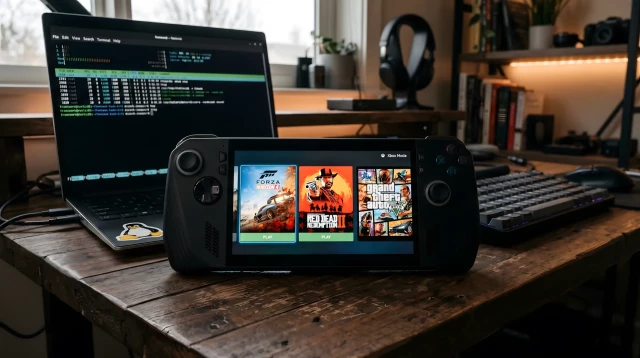
Windows on a Gaming Handheld - The Unknown Universe
Why I swapped Bazzite for Windows 11 on my handheld. A guide to manual de-bloating, Group Policy privacy tweaks, and reclaiming an Xbox game library.TheIPW (The Unknown Universe)

Mihies
in reply to TheIPW • • •marxismtomorrow
in reply to TheIPW • • •Mihies
in reply to marxismtomorrow • • •onlooker
in reply to TheIPW • • •TheIPW
in reply to onlooker • • •It is a fair bit of homework but for those of us who use Linux on a daily basis, we'd rather do the legwork once to have a private, predictable system than deal with the out-of-the-box bloat.
Regarding updates: that’s exactly why I focused on Group Policy tweaks rather than simple registry hacks or UI toggles. Policies are designed for enterprise environments where IT managers would be furious if an update reset their security configurations, so they tend to survive major build updates much better than standard settings, it's not foolproof but it is the best way to stay ahead!
onlooker
in reply to TheIPW • • •warmaster
in reply to TheIPW • • •pastermil
in reply to TheIPW • • •