
Previewing the Framework Wireless Touchpad Keyboard
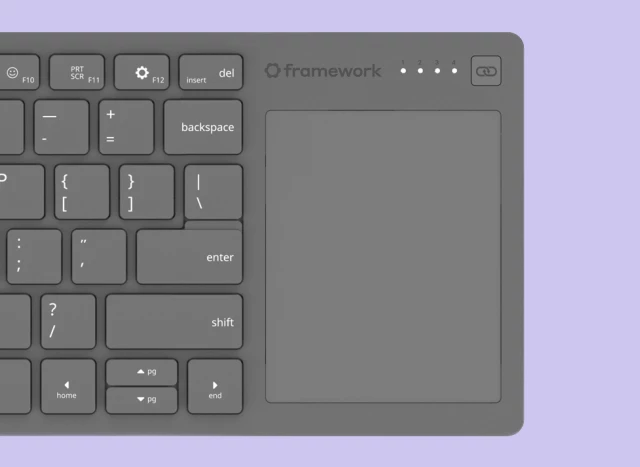
Previewing the Framework Wireless Touchpad Keyboard
Introducing the Framework Wireless Touchpad Keyboard, a compact keyboard with integrated touchpad.Framework

Introducing the Framework Wireless Touchpad Keyboard, a compact keyboard with integrated touchpad.Framework
bonenode
in reply to along_the_road • • •Woah finally a wireless keyboard with a big touchpad like the Microsoft one I am currently using. I had it for a long time, bought pre-pandemic but once it kicks the bucket I didn't want to buy anything Microsoft anymore. But all other keyboards like this had miniscule touchpads (e.g. Logitech...).
This however looks very promising!
gesshoku
in reply to bonenode • • •I was also searching for a combo where the touchpad was actually good enough. Still wonder why all the decent ones were discontinued.
Anyway, here is one that's a bit pricey, but does the job very well. You get so used to it; I don't even use it that often and recently tried to swipe across my main large mechanical keyboard keys 😄
clevetura.com/
Clevetura
CleveturaM137
in reply to gesshoku • • •fuckwit_mcbumcrumble
in reply to along_the_road • • •If they can make it so if you press F1 it actually does F1 without any BS software then I'm sold. I love my Logitech K400 but if I press F2 and not FN + F2 and miss getting into the bios one more time I'm going to commit a crime.
Bluetooth + dongle + wired? Hell yes. This is perfect for tinkering with computers, and actually using it.
StellarExtract
in reply to fuckwit_mcbumcrumble • • •Rai
in reply to StellarExtract • • •StellarExtract
in reply to Rai • • •Rai
in reply to StellarExtract • • •StellarExtract
in reply to Rai • • •Rai
in reply to StellarExtract • • •Albbi
in reply to fuckwit_mcbumcrumble • • •fuckwit_mcbumcrumble
in reply to Albbi • • •b000rg
in reply to Albbi • • •jello
in reply to fuckwit_mcbumcrumble • • •I love this because I have the opposite problem. I hardly ever use the Fn keys and my old laptop had them as the "default" and I had to press an extra key to change the volume or brightness which annoyed the heck out of me
I feel for the devs/engineers who try to appease everyone
tomenzgg
in reply to jello • • •I mean, the solution is pretty simple, here: remove both function and media, etc. keys. That way, no extra keys to press (in fact, no keys, at all).
This design stuff's a cakewalk~
ProfessorHoover
in reply to tomenzgg • • •Blisterexe
in reply to ProfessorHoover • • •Out of touch — how the MacBook Pro Touch Bar came and went
William Gallagher (AppleInsider)LiveLM
in reply to jello • • •TehPers
in reply to LiveLM • • •NekuSoul
in reply to along_the_road • • •It's kinda weird that this is mofe or less just a fancy, but regular keyboard/touchpad combo. Would've been neat if they reused those modular ketboard modules from their laptops.
Speaking of those, I'm still waiting to see those ortho keyboard modules. I like their laptops in theory, but I can't switch back to a regular keyboard anymore.
01011
in reply to along_the_road • • •jnod4
in reply to 01011 • • •altasshet
in reply to along_the_road • • •