I was worried that I would try it, not be able to use it for my needs, and be stuck hating what android has turned into, but not yet able to jump ship for linux phones (because moving to apple is as bad as what android is turning into).
Instead, graphene reminded me of why I loved android in the first place. It genuinely works so much smoother, I don't have to worry about much of anything at all, but can relatively freely do whatever the fuck I want on my device.
As usual, you do have to be aware that some apps just will not cooperate with any OS changes that aren't OEM. And graphene isn't root friendly. So that's why the "relatively freely" is present in the previous paragraph. Within those bounds though, holy crap is it a better experience than anything else I've ever used since my lgg3 was new. Faster, better battery life, and zero bloat to deal with. That's compared to pixels I had fucked with that weren't the same model as the one I was so generously given me by a great friend. Can't say for sure that if graphene was available on my other devic
... Show more...
100% love it.
I was worried that I would try it, not be able to use it for my needs, and be stuck hating what android has turned into, but not yet able to jump ship for linux phones (because moving to apple is as bad as what android is turning into).
Instead, graphene reminded me of why I loved android in the first place. It genuinely works so much smoother, I don't have to worry about much of anything at all, but can relatively freely do whatever the fuck I want on my device.
As usual, you do have to be aware that some apps just will not cooperate with any OS changes that aren't OEM. And graphene isn't root friendly. So that's why the "relatively freely" is present in the previous paragraph. Within those bounds though, holy crap is it a better experience than anything else I've ever used since my lgg3 was new. Faster, better battery life, and zero bloat to deal with. That's compared to pixels I had fucked with that weren't the same model as the one I was so generously given me by a great friend. Can't say for sure that if graphene was available on my other devices that it would be better in terms of speed and battery life, since that's hardware dependent to a great degree.
But I can say that when I fucked around on pixels newer than the one I have, that they were less responsive and drained battery faster doing similar tasks, despite having newer hardware.
I've said it elsewhere before, but my experience with graphene pissed me off. It makes me so angry that this experience isn't the default experience for all devices, out of the box. I hate that until the recent announcement, that having this experience meant being limited to the shitty choices Google made for pixels (like no sd card, not the chipset or anything like that). I'm hopeful that the Motorola option is realistic for me once this phone has met its end of life. I'm riding it until the wheels fall off though lol.
Legit, if you aren't limited by work requirements regarding apps you have to use, and your bank app isn't pissy, don't hesitate. I haven't been this happy with any device since I put lineage on an old tablet years ago and it fit my needs so perfectly I couldn't believe it. Even my beloved g3 didn't work as well with any rom as this pixel does with graphene.
Well, security isn't 100% the same as private, if you meant here as in this C/, rather than here as in this post. I tend to favor security over privacy, when only one is possible, but there is a small difference in how they apply to phones.
But, yeah, afaik, rooting a device decreases security. But if you can't/don't want to jump through hoops, not having it is also a decrease in entry level personal choice. But that's true of any android rom, not just graphene. It's just that graphene is explicitly against root because of the holes it can cause.
Again, on my end, root isn't currently high value. The things I would do with root access aren't worth the extra hassle and decrease in efficacy of graphene to do what it is intended to do.
Mind you, there are devices I would root if I weren't too lazy, for a small number of options. Just being able to easily use older apks is becoming a huge pain in the ass, and it's annoying enough that my irritation will eventually outweigh my laziness on a couple of devices, just not those I use for anythin
... Show more...
Well, security isn't 100% the same as private, if you meant here as in this C/, rather than here as in this post. I tend to favor security over privacy, when only one is possible, but there is a small difference in how they apply to phones.
But, yeah, afaik, rooting a device decreases security. But if you can't/don't want to jump through hoops, not having it is also a decrease in entry level personal choice. But that's true of any android rom, not just graphene. It's just that graphene is explicitly against root because of the holes it can cause.
Again, on my end, root isn't currently high value. The things I would do with root access aren't worth the extra hassle and decrease in efficacy of graphene to do what it is intended to do.
Mind you, there are devices I would root if I weren't too lazy, for a small number of options. Just being able to easily use older apks is becoming a huge pain in the ass, and it's annoying enough that my irritation will eventually outweigh my laziness on a couple of devices, just not those I use for anything beyond playing games and writing fiction (where keyboard choice matters a lot on android, and my keyboard of choice is 32bit based, which you have to root for two of my devices to fix).
Anyway, tangents aside, I appreciate your extra detail :)
It's always the trade off. Convenience vs privacy. Personally, I always have a real wallet so cards are convenient to me. Batteries can run out at any time.
It's not always a tradeoff in the simplest way. I wish I could use my Privacy.com cards for privacy and security via NFC but that requires the Google wallet which I refuse to use. So for in person transactions I loose those two benefits if I don't have enough cash or the business doesn't accept cash.
It doesn't have to be though. It could be BOTH convenient AND private. It's only because we, as a society, didn't fully understand the "cost" of "free". We thought it was just so nice to get a good search engine without having to pay. We didn't grasp that it was the beginning of surveillance capitalism. We didn't understand that this business model would be so successful every company, from news ones like Meta, to "old" ones like Microsoft or Amazon, would try to be hybrids, both selling stuff and but also re-selling data to advertisers.
So no it's not a false choice, it's a corner we strategically got pushed into.
I believe, maybe naively, that initiatives like uattest.net/ or even taler.net/ are trying to show that it can be both convenient and private, but NOT while relying on surveillance capitalism which is precisely investing a lot of money to bring the maximum convenience, including free (hard to beat) but at
... Show more...
It doesn't have to be though. It could be BOTH convenient AND private. It's only because we, as a society, didn't fully understand the "cost" of "free". We thought it was just so nice to get a good search engine without having to pay. We didn't grasp that it was the beginning of surveillance capitalism. We didn't understand that this business model would be so successful every company, from news ones like Meta, to "old" ones like Microsoft or Amazon, would try to be hybrids, both selling stuff and but also re-selling data to advertisers.
So no it's not a false choice, it's a corner we strategically got pushed into.
I believe, maybe naively, that initiatives like uattest.net/ or even taler.net/ are trying to show that it can be both convenient and private, but NOT while relying on surveillance capitalism which is precisely investing a lot of money to bring the maximum convenience, including free (hard to beat) but at the cost of privacy.
Edit: seems GrapheneOS isn't into UAttest initiative grapheneos.social/@GrapheneOS/… but I'm not sure what alternative they propose.
We strongly oppose the Unified Attestation initiative and call for app developers supporting privacy, security and freedom on mobile to avoid it. Companies selling phones should not be deciding which operating systems people are allowed to use for apps.
Maintained Compatibility List for International Banking Apps
This list includes banking apps that have been tested, submitted, reviewed, and verified as compatible.
Google's monopolistic stranglehold on Android results in poor experience for power-users, and artificially restricts choice for those who have older phones. For example, Google Wallet is the de facto way to use NFC payments on Android.
Besides setting up my Samsung watch for the first time its been painless. My bank app works without issue. Honestly the worst part was moving from android 9 to 16. I had my last phone for 8 years so I splurged one got a 9 pro with extra storage and I don't regret it. Its snappy, has all the features I need and I get security updatea frequently
Do it (Posted from an Arch machine tunneling through a Pixel 6 while copying backups and installing GOS on a Pixel 8)! e: update - transfer complete, good to go for another 2 years.
The only thing I miss is Android Pay, but it's not a big deal. Cards are fine, you'll just need to remember your wallet.
I did find I had a problem with my work 2FA app, but that's their problem to solve, not mine. Maybe they'll give me a 2FA USB key.
A few pieces of advice: - Don't forget to back up any apps with local data that support it. You won't get your app data back from the play store. Many FOSS apps have built-in backup optioms to files etc. - Back up your phone logs and SMS if that's valuable to you, and ideally make sure the backup works on another device. - Install GCam to keep the same level of camera quality and features as the original app provides. I recommend BigKaKa's versions for good compatibility with Pixels, though they can get a little cluttered. - Do install both the Play Store and Play Services if you want to use any Google app like YouTube or Maps (even some non-Google ones will need it).
... Show more...
Made the jump last week.
The only thing I miss is Android Pay, but it's not a big deal. Cards are fine, you'll just need to remember your wallet.
I did find I had a problem with my work 2FA app, but that's their problem to solve, not mine. Maybe they'll give me a 2FA USB key.
A few pieces of advice: - Don't forget to back up any apps with local data that support it. You won't get your app data back from the play store. Many FOSS apps have built-in backup optioms to files etc. - Back up your phone logs and SMS if that's valuable to you, and ideally make sure the backup works on another device. - Install GCam to keep the same level of camera quality and features as the original app provides. I recommend BigKaKa's versions for good compatibility with Pixels, though they can get a little cluttered. - Do install both the Play Store and Play Services if you want to use any Google app like YouTube or Maps (even some non-Google ones will need it). Then use a more private app store like Aurora and remove all permissions from the Play Store to strike a good middle-ground. - The Fossify apps are great alternatives to the imo not very good stock apps preinstalled on LineageOS.
I feel like the tap pay would be what I miss most, but I saw someone suggest just getting a case that can hold your payment card, and it's essentially the same thing.
Be careful with having your card exposed; there exists a scam where someone puts a chip reader waist level in certain places, like a crowded line, where it'll skim off a few dollars off anyone who gets close enough. The rfid blocking cards work well (just do a bit of research, lots of sham ones out there), it also looks like there's some options for rid blocking phone wallets too.
Do install both the Play Store and Play Services if you want to use any Google app like YouTube or Maps (even some non-Google ones will need it). Then use a more private app store like Aurora and remove all permissions from the Play Store to strike a good middle-ground.
I unfortunately use play services on both my main profile and gaming profile (I had to make a seperate non Premission Manager X profile to be able to play games), but if you're smart like Veronica in her GrapheneOS video, you can do a degoogled profile and a sandboxed profile!
If I could convince my family to contact me through Signal/Molly rather than Google Messages, maybe I could go completely degoogled on one profile. But alas.
... Show more...
Do install both the Play Store and Play Services if you want to use any Google app like YouTube or Maps (even some non-Google ones will need it). Then use a more private app store like Aurora and remove all permissions from the Play Store to strike a good middle-ground.
I unfortunately use play services on both my main profile and gaming profile (I had to make a seperate non Premission Manager X profile to be able to play games), but if you're smart like Veronica in her GrapheneOS video, you can do a degoogled profile and a sandboxed profile!
If I could convince my family to contact me through Signal/Molly rather than Google Messages, maybe I could go completely degoogled on one profile. But alas.
GrapheneOS can help you retake your privacy, right now.
My videos aren't sponsored by anyone but you. Monthly sustainers get access to my Discord/Matrix space, and are what keeps the lights on around here. Thank you for your consideration!
App stores that aren't Google: - Accrescent home page (an app store GrapheneOS has made available in stock GrapheneOS): accrescent.app/ - Obtanium home page (downloading apps directly from Git or other sources): obtainium.imranr.dev/ - F-Droid, you probably already know about them by now: f-droid.org/
About specific apps which might be helpful: - Signal APK download: signal.org/android/apk/ - Terence Eden's awesome blog post about Contactless Payments in Europe using Curve with GrapheneOS: shkspr.mobi/blog/2025/06/conta… - Organic Maps works pretty well as a general maps app: organicmaps.app/ - Unified Push homepage (great resource for notifications without Google Play): unifiedpush.org/
Chapters: 0:00 It's like a dumbphone... 2:01 ...but it's not a dumbphone. 4:32 But... Pixel? Isn't that a Google thing? 6:26 Installing apps on GrapheneOS 8:40 Messaging with GrapheneOS 10:06 What we leave behind on GrapheneOS 12:12 Taking back my privacy and my attention with GrapheneOS 14:22 Fine... yeah there's some drama with GrapheneOS 16:29 GrapheneOS is still awesome
I think when I need to change phones I am gonna put graphene on my new device but as of now I am running a galaxy s21+ that has had software purged and swapped to the point of being as Foss as I can make it as of now
I love it. I even went a step further and found some alternatives to Google maps, calendar, mail etc. And it took a couple days to get used to but I never went back!
I don't intend on cutting Google from my life, but I want the option to, and I want boundaries with Google. I felt as if I didn't install GrapheneOS, I'd lose the ability to in the future. Google could easily roll out an update locking the bootloader, so I felt like doddling with it was a risky move.
So far it is good, I am still exploring what I can do with GrapheneOS. It's bare bones to start with, no included wallpapers so I have to fetch my own. RCS seemingly works after granting Google play to access my carrier or whatever, so that's good.
Big problem for me - Intune. If I want it, I have to have a stock OS. Right now I've got a Samsung tablet which is nice hardware but dogshit software. I'd love to not carry two devices around, but that's the price of freedom and convenience.
NEVER EVER INSTALL INTUNE ON YOUR PERSONAL DEVICE!!!
A bunch of people today had their phones wiped and eSIM deleted from their personal phones because they hooked it up to their corporate intune, which got hacked: krebsonsecurity.com/2026/03/ir…
A hacktivist group with links to Iran's intelligence agencies is claiming responsibility for a data-wiping attack against Stryker, a global medical technology company based in Michigan.
It's 100% worth it. As someone who's been flashing custom ROMs since the Windows Mobile 5.0 days, it's never been as safe or as easy to do as GrapheneOS.
There's only 1 app I can't use on GrapheneOS (Australian government MyGov app), and that's a small price to pay to get Google out of my life.
One reason can be if the involved apps don't have unrestricted battery access. Then the OS will put the app to "sleep" when not used. Could be worth checking.
Most apps typically use Google services for notifications, so all apps use one single service running all the time.
Without Google, apps can develop a fallback where each app polls for its own notifications, but continously running a service per app costs battery, so the services do not run all the time. This is the reason why notifications are delayed.
I love it! Installation their costom ROM was the easiest I ever did. I can't imagine going back to any other Android variant.
Aside from 2 apps I tried everything works fine including banking apps, which is to say: all I really want to use works. If you're especially worried about banking apps, you can have a look here about their expected compatibility: privsec.dev/posts/android/bank…
Short of my future Jolla phone with SailfishOS blowing my Pixel with GrapheneOS out of the water (unlikely to happen), I'm stuck with GrapheneOS for the foreseeable future. My next daily driver might be from Motorola though, if they do their business with GrapheneOS the right way.
Maintained Compatibility List for International Banking Apps
This list includes banking apps that have been tested, submitted, reviewed, and verified as compatible.
If you have older Pixel, Fairphone, (some) Motorola, Shift or Braxtech, iodeOS is better because you can lock the bootloader and the installation is as easy as with GrapheneOS.
I recently got a Google Pixel as well and immediately switched to it.
I used to run LineageOS on Fairphone before, the only difference I felt is the bootloader locking.
As for comparison between the base OS, well, way less bloat. Its so much less bloat that its quite refreshing to see your phone screen with so little apps on a new install lol.
Only thing that don't work is Macdonald's app for me, but I guess that's 1 more fast food I am cutting down on.
iodeOS/ LineageOS and especially GrapheneOS (if you don't stick with older hardware) are the best things I've found for the mobile. It's pure freedom without restricting yourself to a dumb phone. It's even more worth now when Google will start to ask developers for intrusive verification. I don't have to worry about apps that I'm using doesn't meet Google's bullshit approval because developer doesn't want to give so much personal data to entity like Google. I was thinking of buying Google Streamer but when I found out about this, I'll wait and see what happens with apps outside Google Play Store. I know that you still can sideload but I don't think the apps will update automatically.
If you have Pixel that is still supported by Google go with GrapheneOS, if not or don't have/ want Pixel go with iodeOS- for the easy installer and ability to re-lock the bootloader on some devises. e/OS/ is maybe the same but I don't like the interface and I don't need the service from the subscription. If non of the above apply LineageOS (for MicroG) but on some devises you need a PC to update to the next major version, some even require factory reset on every major update. Keep in mind that unlocked bootloader can be very insecure when the device is physically taken by the attacker.
Long-term I used LineageOS (tablet), LineageOS for MicroG and GrapheneOS. When I switch from LineageOS for MicroG to GrapheneOS on my phone noticed that some customisations and quality of life features are missing but the difference isn't huge- like double press power button for the flashlight, coffee toggle and that I can't remove the horizontal line at the bottom of the screen. But in my opinion this is noting conpair to the benefits that GrapheneOS offer- superior
... Show more...
If you have Pixel that is still supported by Google go with GrapheneOS, if not or don't have/ want Pixel go with iodeOS- for the easy installer and ability to re-lock the bootloader on some devises. e/OS/ is maybe the same but I don't like the interface and I don't need the service from the subscription. If non of the above apply LineageOS (for MicroG) but on some devises you need a PC to update to the next major version, some even require factory reset on every major update. Keep in mind that unlocked bootloader can be very insecure when the device is physically taken by the attacker.
Long-term I used LineageOS (tablet), LineageOS for MicroG and GrapheneOS. When I switch from LineageOS for MicroG to GrapheneOS on my phone noticed that some customisations and quality of life features are missing but the difference isn't huge- like double press power button for the flashlight, coffee toggle and that I can't remove the horizontal line at the bottom of the screen. But in my opinion this is noting conpair to the benefits that GrapheneOS offer- superior security, much many user profiles, faster and consistent updates and the official google camera app if your device is still supported by Google. I think MicroG offers better user experience if you are less knowledgeable about this stuff. But sadly CalyxOS have issues at the moment and that's because I didn't include them previously.
Graphene gives you more "control" over your data "out of the box" than any other custom firmware. Yes, you can patch and mod your favorite firmware to your liking, but graphene "just works"
It's rock solid and reliable. It only supports one hardware family. I've never had graphene lock-up, crash, camera stop working, etc
The installation and upgrading is amazingly easy (compared to other cfw) and streamlined. After the initial setup, it behaves just like any ofw.
You'll see just how much of an intrusive cancer Google has become (Google play has a "feature" where they'll dynamically load code and try to run it - graphene blocks this kinda crap).
Going back to stock Google (with locked bootloader) is rather easy. So you don't have much to lose (other than a few hours) in trying.
The Cons:
Some apps will crash. Graphene hardens how applications behave (in terms of accessing memory, for example) some a
... Show more...
is it worth it?
I'll try to be objective.
The Pros:
Graphene gives you more "control" over your data "out of the box" than any other custom firmware. Yes, you can patch and mod your favorite firmware to your liking, but graphene "just works"
It's rock solid and reliable. It only supports one hardware family. I've never had graphene lock-up, crash, camera stop working, etc
The installation and upgrading is amazingly easy (compared to other cfw) and streamlined. After the initial setup, it behaves just like any ofw.
You'll see just how much of an intrusive cancer Google has become (Google play has a "feature" where they'll dynamically load code and try to run it - graphene blocks this kinda crap).
Going back to stock Google (with locked bootloader) is rather easy. So you don't have much to lose (other than a few hours) in trying.
The Cons:
Some apps will crash. Graphene hardens how applications behave (in terms of accessing memory, for example) some apps are buggy and will not work. Not many apps (may 1 or 2 out of 30+) but it does happen and you can fittle with the app settings to try to fix it, but it's tedious through trial-and-error
Some apps won't work, like maybe your bank because it will never pass the "Google integrity" checks. The fear and concern is that more and more apps will start to block cfw. So expect that you might need a second device.
Any apps/processes that deal with money (tap-to-pay, Google wallet) probably will not work (again, it fails the "Google integrity" checks).
(personal preference) I don't like the graphene launcher nor their store nor their (boring) default icons. However, graphene empowers you to change/replace all this.
I've been on it for a bit over a year now and honestly, it's just the new normal. Can't really say I miss anything, and things like the separate profiles are pretty neat.
Although, I have bricked myself once by enabling developer settings and accidentally changing my language to a dev-only language that made the os crash on boot. But the Graphene Devs fixed it and unbricked my phone within a week after I posted the problem to the forum.
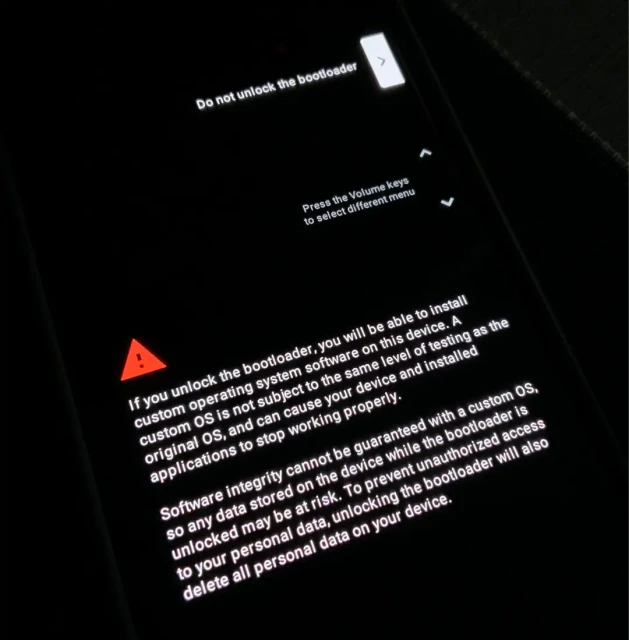
“Software integrity cannot be guaranteed on a custom os”
Ah yes software integrity like, sorry we no longer support your device beyond its intended lifecycle and please make sure your beloved app has the latest enshitification update installed.
6 months in, and I can't imagine going back. Use the web installer if possible, it is quick and really easy. Then immediately create a secondary user account for the Google compatibility layer, if you want that shit. I dont but I need my bank app. Keep it seperate. If you wanna use Google apps sometimes, have a separate user for that. You will gain quite a bit of battery without Google calling home every couple minutes. But if you install the compatibility layer in your main profile it becomes a chore to move to another account.
What about 2FA, and banking apps, and banks' payment apps? At least in Yurop they require a "safe" / "uncompromised" OS. Oh the irony! But that is why I am still unrooted.
Just go for it. You can always go back to stock if you dont like it.
My advice: dont make it too complicate. GOS has a lot of different securities and you can choose whatever you want to do with your phone. Some examples::
you can run the whole thing on 1 profile
1 main profile and 1 secondary for Google
1 main profile for admin and several secondary profiles each with their own private space... .
and so on and on. I like to think of GOS similar to Archlinux. You can choose your way, but if things go south , a extremely complicate setup will make it very difficult to diagnose and maintain.
If you could tell me the logic behind using the different securities... I'm working on figuring out graphene and using it as a daily driver. Currently I've got my owner profile which is the one with Google Play. I'll just push the apps to my daily driver...
Not OP, but here's an answer for your consideration.
Assuming you are not currently being hunted by well resourced scary people...
It seems to me that even using a single user profile on GrapheneOS already provides dramatically better security and privacy outcomes than any other mobile device option, anyway.
I don't think I'm being hunted or resourced... But realistically speaking I'm just tired of not having control of my data.
I'm more just trying to figure out the most effective setup. Because I am going to need certain apps I'm going to get from the Google store. I don't need them all the time, what I really need to understand is which profile should I have the Google Play store on. Should I have it on a secondary profile or the owner profile.
I don't intend on using the profile with Google Play on it daily.
another solution for you is no profiles, just the main + Private Space. In main you dont use any Google stuff. In your private space (setup with a different unlock method from your screenlock), you sign in and get your Google stuff. I havent tried it but it sounds ok...Not sure about transferring files though. E.g. what if I have a news article in Vanadium in mainland and want to share it to my contacts in Private Spac? Or the reverse: I got a pdf from whatsapp in Private Space and want to store it in my main's folder?
@pinball_wizard@lemmy.zip was correct: Even a single GOS profile is already much better than normal Android. You can read up all the security stuff GOS offers in Settings/Security and Privacy. A lot of those features are already much better than stock Android, e.g. strict control over USB c, spawn app securely, wifi/BT auto off...etc.
As to your question about logic in using diff securities, GOS is the only OS that allows you to have many profiles. These profiles are completely isolated from each other. You have your own keylock, user for each profile. That is much more powerful that stuff like Peivate Space (stock Android has) or even Samsung Secure Folder. So I want to make the best use for these features...
That and we have too much personal and sensitive stuff on our phones nowdays. I'm not talking about normal stuff like emails and photos. I meant online banking apps, identity card app that each country for some reasons force citizens to install...And everything else, litera
... Show more...
@pinball_wizard@lemmy.zip was correct: Even a single GOS profile is already much better than normal Android. You can read up all the security stuff GOS offers in Settings/Security and Privacy. A lot of those features are already much better than stock Android, e.g. strict control over USB c, spawn app securely, wifi/BT auto off...etc.
As to your question about logic in using diff securities, GOS is the only OS that allows you to have many profiles. These profiles are completely isolated from each other. You have your own keylock, user for each profile. That is much more powerful that stuff like Peivate Space (stock Android has) or even Samsung Secure Folder. So I want to make the best use for these features...
That and we have too much personal and sensitive stuff on our phones nowdays. I'm not talking about normal stuff like emails and photos. I meant online banking apps, identity card app that each country for some reasons force citizens to install...And everything else, literally everything has an app.
Anyway......
Initially i went with: 1 owner profile (the one you started originally), 1 media profile, 1 bank profile and 1 daily profile. You know like completely compartmentalize your life.
This works BUT there is a lot of inconvenience. .E.g. if i see an article in Vanadium in daily and want to share it to whatsapp/viber/signal which live in media, i cant.
So I then went with: 1 owner profile and 1 sensitive profile...So all the things that are very important to me like banks, IC app I put in sensitive. .Everything else I put in owner. Note: in sensitive profile, I do not user fingerprint; I set a long password for that.
I've been using Graphene for several years and I love it. I could never go back now, Google android feels so incredibly bloated and invasive by comparison.
Double check your backups just to be safe, and then go for it. It's not hard to revert if you hate it. There is a big of a learning curve, mainly just using the alternative app stores like Accresent, F-Droid, etc.
But once you spend a bit of time getting your apps installed and your system set up the way you like, you'll love it.
It is so obscenely easy to install graphene on your phone. I bought a pixel just to try it like a 6 for 60 bucks or something and it took no time whatsoever. Online easy peasy and it is so much better than googles Android
Made the jump a couple of weeks ago, and couldn't be happier with it. Everything just worked out of the box. The web installer is literally point and click, zero hassle. Google store installer is bundled by default, and you can install it right away. All the apps I use worked fine for me without any issues.
Been running GrapheneOS for almost two years. Ran it before long ago too. It's a PITA to use, but it does limit tracking. So, pick your poison: ease of use in exchange for your personal data, or additional work in exchange for your privacy. I chose privacy.
I bought a Pixel for it (I needed a phone upgrade) and installed GrapheneOS immediately after bringing it home. There was a little bit of friction because a few things weren't working out of the box for me, like Android Auto and a few apps that use GPS (I tried to Pokemon Go, for example) but all these issues went away eventually. The only thing I miss is tapping my phone to pay for things, but this isn't a GrapheneOS issue, (bank/card providers in north America and their reliance on Google Wallet/Apple pay are). There are financial institutions from other countries that offer tap to pay using their own app.
I love being able to select what files/contacts each app has access on my phone. I like being able to disable my camera/microphone for all apps with a simple touch.
I'm using GrapheneOS to type this and have been using it (periodically) for weeks. I just noticed today that it doesn't have visual voicemail, and I haven't the foggiest idea what my vmail PW is. But all in all, it's solid (knock on wood).
You should be able to call your service provider to reset password for vmail. I had to do that a couple years ago as my voicemail was full and I needed to empty it and have access while applying for jobs .. don't wait untill you need to do it it is kind of annoying to deal with!
Welcome, I also use GOS and I will say its amazing. If you want support or just to chat with other GOS users I reccomend the GOS matrix chat or Discord chat (note due to recent events the bridge is no longer online)
my work stack is all google. i tried using it full time last year with a pixel and i just found the sandboxed google services to be too unreliable in a pinch
Work profiles are a big sticking point for tech workers I think. Apparently some have got it to work, but my org's didn't. I think if your company uses MAM instead of MDM you might have better luck, but I couldn't get Intune to set up the work profile correctly. I started carrying a phone size ereader everywhere so I just set up work stuff on that, but even then managing wifi for the second device is a pain.
Blaster M
in reply to Cantaloupe • • •Lyubo
in reply to Blaster M • • •dm9pZCAq
in reply to Cantaloupe • • •yes
Cantaloupe
in reply to dm9pZCAq • • •hesh
in reply to Cantaloupe • • •zergtoshi
in reply to Cantaloupe • • •Have fun 😊
kwarg
in reply to Cantaloupe • • •southsamurai
in reply to Cantaloupe • • •100% love it.
I was worried that I would try it, not be able to use it for my needs, and be stuck hating what android has turned into, but not yet able to jump ship for linux phones (because moving to apple is as bad as what android is turning into).
Instead, graphene reminded me of why I loved android in the first place. It genuinely works so much smoother, I don't have to worry about much of anything at all, but can relatively freely do whatever the fuck I want on my device.
As usual, you do have to be aware that some apps just will not cooperate with any OS changes that aren't OEM. And graphene isn't root friendly. So that's why the "relatively freely" is present in the previous paragraph. Within those bounds though, holy crap is it a better experience than anything else I've ever used since my lgg3 was new. Faster, better battery life, and zero bloat to deal with. That's compared to pixels I had fucked with that weren't the same model as the one I was so generously given me by a great friend. Can't say for sure that if graphene was available on my other devic
... Show more...100% love it.
I was worried that I would try it, not be able to use it for my needs, and be stuck hating what android has turned into, but not yet able to jump ship for linux phones (because moving to apple is as bad as what android is turning into).
Instead, graphene reminded me of why I loved android in the first place. It genuinely works so much smoother, I don't have to worry about much of anything at all, but can relatively freely do whatever the fuck I want on my device.
As usual, you do have to be aware that some apps just will not cooperate with any OS changes that aren't OEM. And graphene isn't root friendly. So that's why the "relatively freely" is present in the previous paragraph. Within those bounds though, holy crap is it a better experience than anything else I've ever used since my lgg3 was new. Faster, better battery life, and zero bloat to deal with. That's compared to pixels I had fucked with that weren't the same model as the one I was so generously given me by a great friend. Can't say for sure that if graphene was available on my other devices that it would be better in terms of speed and battery life, since that's hardware dependent to a great degree.
But I can say that when I fucked around on pixels newer than the one I have, that they were less responsive and drained battery faster doing similar tasks, despite having newer hardware.
I've said it elsewhere before, but my experience with graphene pissed me off. It makes me so angry that this experience isn't the default experience for all devices, out of the box. I hate that until the recent announcement, that having this experience meant being limited to the shitty choices Google made for pixels (like no sd card, not the chipset or anything like that). I'm hopeful that the Motorola option is realistic for me once this phone has met its end of life. I'm riding it until the wheels fall off though lol.
Legit, if you aren't limited by work requirements regarding apps you have to use, and your bank app isn't pissy, don't hesitate. I haven't been this happy with any device since I put lineage on an old tablet years ago and it fit my needs so perfectly I couldn't believe it. Even my beloved g3 didn't work as well with any rom as this pixel does with graphene.
FauxLiving
in reply to southsamurai • • •Graphene isn't root friendly because root friendly is a security vulnerability.
You CAN install GOS builds which allow you to have root, but if you care about security (and, that's why you're here) then you should not.
southsamurai
in reply to FauxLiving • • •Well, security isn't 100% the same as private, if you meant here as in this C/, rather than here as in this post. I tend to favor security over privacy, when only one is possible, but there is a small difference in how they apply to phones.
But, yeah, afaik, rooting a device decreases security. But if you can't/don't want to jump through hoops, not having it is also a decrease in entry level personal choice. But that's true of any android rom, not just graphene. It's just that graphene is explicitly against root because of the holes it can cause.
Again, on my end, root isn't currently high value. The things I would do with root access aren't worth the extra hassle and decrease in efficacy of graphene to do what it is intended to do.
Mind you, there are devices I would root if I weren't too lazy, for a small number of options. Just being able to easily use older apks is becoming a huge pain in the ass, and it's annoying enough that my irritation will eventually outweigh my laziness on a couple of devices, just not those I use for anythin
... Show more...Well, security isn't 100% the same as private, if you meant here as in this C/, rather than here as in this post. I tend to favor security over privacy, when only one is possible, but there is a small difference in how they apply to phones.
But, yeah, afaik, rooting a device decreases security. But if you can't/don't want to jump through hoops, not having it is also a decrease in entry level personal choice. But that's true of any android rom, not just graphene. It's just that graphene is explicitly against root because of the holes it can cause.
Again, on my end, root isn't currently high value. The things I would do with root access aren't worth the extra hassle and decrease in efficacy of graphene to do what it is intended to do.
Mind you, there are devices I would root if I weren't too lazy, for a small number of options. Just being able to easily use older apks is becoming a huge pain in the ass, and it's annoying enough that my irritation will eventually outweigh my laziness on a couple of devices, just not those I use for anything beyond playing games and writing fiction (where keyboard choice matters a lot on android, and my keyboard of choice is 32bit based, which you have to root for two of my devices to fix).
Anyway, tangents aside, I appreciate your extra detail :)
ryan213
in reply to Cantaloupe • • •CrypticCoffee
in reply to ryan213 • • •Google wallet? Why would you move off Google and use something pointless a bank card would do?
I'm in the UK, but can access banking websites via browser.
ryan213
in reply to CrypticCoffee • • •Lol I didn't realize this was about de-Googling.
I don't like all the other stuff but I use wallet all the time. It's just convenient.
CrypticCoffee
in reply to ryan213 • • •It's always the trade off. Convenience vs privacy. Personally, I always have a real wallet so cards are convenient to me. Batteries can run out at any time.
Using Google anything is never a privacy option.
sic_semper_tyrannis
in reply to CrypticCoffee • • •utopiah
in reply to CrypticCoffee • • •It doesn't have to be though. It could be BOTH convenient AND private. It's only because we, as a society, didn't fully understand the "cost" of "free". We thought it was just so nice to get a good search engine without having to pay. We didn't grasp that it was the beginning of surveillance capitalism. We didn't understand that this business model would be so successful every company, from news ones like Meta, to "old" ones like Microsoft or Amazon, would try to be hybrids, both selling stuff and but also re-selling data to advertisers.
So no it's not a false choice, it's a corner we strategically got pushed into.
I believe, maybe naively, that initiatives like uattest.net/ or even taler.net/ are trying to show that it can be both convenient and private, but NOT while relying on surveillance capitalism which is precisely investing a lot of money to bring the maximum convenience, including free (hard to beat) but at
... Show more...It doesn't have to be though. It could be BOTH convenient AND private. It's only because we, as a society, didn't fully understand the "cost" of "free". We thought it was just so nice to get a good search engine without having to pay. We didn't grasp that it was the beginning of surveillance capitalism. We didn't understand that this business model would be so successful every company, from news ones like Meta, to "old" ones like Microsoft or Amazon, would try to be hybrids, both selling stuff and but also re-selling data to advertisers.
So no it's not a false choice, it's a corner we strategically got pushed into.
I believe, maybe naively, that initiatives like uattest.net/ or even taler.net/ are trying to show that it can be both convenient and private, but NOT while relying on surveillance capitalism which is precisely investing a lot of money to bring the maximum convenience, including free (hard to beat) but at the cost of privacy.
Edit: seems GrapheneOS isn't into UAttest initiative grapheneos.social/@GrapheneOS/… but I'm not sure what alternative they propose.
GNU Taler - Taxable Anonymous Libre Electronic Resources
www.taler.netGrapheneOS
2026-03-09 16:16:18
CurbCuts
in reply to ryan213 • • •It depends how much you want to lean into degoogling and your banking apps.
You can always set up a separate profile install a non sandboxed google ay store and use it for things that won't any other way.
ryan213
in reply to CurbCuts • • •CurbCuts
in reply to ryan213 • • •Banking Applications Compatibility with GrapheneOS
akc3n, Tommy, spring-onion (PrivSec - A practical approach to Privacy and Security)Scott
in reply to ryan213 • • •Depends on the bank. Mine does.
No Google Wallet but I pay with NFC using Curve and put tickets, boarding passes, loyalty cards, etc. into FossWallet.
Vik
in reply to ryan213 • • •Banking apps may vary. Google wallet will not work sure to integrity / attestation but other contactless payment methods word.
this guy uses curve pay on graphene:
shkspr.mobi/blog/2025/06/conta…
Contactless Payments with GrapheneOS
Terence Eden’s BlogCantaloupe
in reply to ryan213 • • •MynameisAllen
in reply to Cantaloupe • • •Eat_Your_Paisley
in reply to Cantaloupe • • •wetsoggybread
in reply to Cantaloupe • • •Vik
in reply to Cantaloupe • • •grue
in reply to Cantaloupe • • •Yep, do it.
(Posted from a Pixel 7 running GrapheneOS)
Steamymoomilk
in reply to grue • • •(Posted from Pixel 8 running GrapheneOS)
FauxLiving
in reply to Steamymoomilk • • •e: update - transfer complete, good to go for another 2 years.
zergtoshi
in reply to grue • • •Xirup
in reply to grue • • •Definitely worth it!
(From an IPhone 17 with GrapheneOS)
hash
in reply to grue • • •100% You'll wonder why you'd ever go back.
(Posted from a Pixel Tablet running GrapheneOS. My little secure portable workstation.)
A🔻atar of 🔻engeance
in reply to Cantaloupe • • •agentshags
in reply to A🔻atar of 🔻engeance • • •Armand1
in reply to Cantaloupe • • •Made the jump last week.
The only thing I miss is Android Pay, but it's not a big deal. Cards are fine, you'll just need to remember your wallet.
I did find I had a problem with my work 2FA app, but that's their problem to solve, not mine. Maybe they'll give me a 2FA USB key.
A few pieces of advice:
... Show more...- Don't forget to back up any apps with local data that support it. You won't get your app data back from the play store. Many FOSS apps have built-in backup optioms to files etc.
- Back up your phone logs and SMS if that's valuable to you, and ideally make sure the backup works on another device.
- Install GCam to keep the same level of camera quality and features as the original app provides. I recommend BigKaKa's versions for good compatibility with Pixels, though they can get a little cluttered.
- Do install both the Play Store and Play Services if you want to use any Google app like YouTube or Maps (even some non-Google ones will need it).
Made the jump last week.
The only thing I miss is Android Pay, but it's not a big deal. Cards are fine, you'll just need to remember your wallet.
I did find I had a problem with my work 2FA app, but that's their problem to solve, not mine. Maybe they'll give me a 2FA USB key.
A few pieces of advice:
- Don't forget to back up any apps with local data that support it. You won't get your app data back from the play store. Many FOSS apps have built-in backup optioms to files etc.
- Back up your phone logs and SMS if that's valuable to you, and ideally make sure the backup works on another device.
- Install GCam to keep the same level of camera quality and features as the original app provides. I recommend BigKaKa's versions for good compatibility with Pixels, though they can get a little cluttered.
- Do install both the Play Store and Play Services if you want to use any Google app like YouTube or Maps (even some non-Google ones will need it). Then use a more private app store like Aurora and remove all permissions from the Play Store to strike a good middle-ground.
- The Fossify apps are great alternatives to the imo not very good stock apps preinstalled on LineageOS.
Google Camera Ports Download
www.celsoazevedo.comexcursion22
in reply to Armand1 • • •Armand1
in reply to excursion22 • • •helpImTrappedOnline
in reply to excursion22 • • •The rfid blocking cards work well (just do a bit of research, lots of sham ones out there), it also looks like there's some options for rid blocking phone wallets too.
Imaginary_Stand4909
in reply to Armand1 • • •I unfortunately use play services on both my main profile and gaming profile (I had to make a seperate non Premission Manager X profile to be able to play games), but if you're smart like Veronica in her GrapheneOS video, you can do a degoogled profile and a sandboxed profile!
If I could convince my family to contact me through Signal/Molly rather than Google Messages, maybe I could go completely degoogled on one profile. But alas.
I unfortunately use play services on both my main profile and gaming profile (I had to make a seperate non Premission Manager X profile to be able to play games), but if you're smart like Veronica in her GrapheneOS video, you can do a degoogled profile and a sandboxed profile!
If I could convince my family to contact me through Signal/Molly rather than Google Messages, maybe I could go completely degoogled on one profile. But alas.
vkc via PeerTube
2026-02-20 23:02:28
confuser
in reply to Armand1 • • •Armand1
in reply to confuser • • •Valarie
in reply to Cantaloupe • • •Rhonda Sandtits
in reply to Cantaloupe • • •Darcranium
in reply to Cantaloupe • • •Cantaloupe
in reply to Cantaloupe • • •I don't intend on cutting Google from my life, but I want the option to, and I want boundaries with Google. I felt as if I didn't install GrapheneOS, I'd lose the ability to in the future. Google could easily roll out an update locking the bootloader, so I felt like doddling with it was a risky move.
So far it is good, I am still exploring what I can do with GrapheneOS. It's bare bones to start with, no included wallpapers so I have to fetch my own. RCS seemingly works after granting Google play to access my carrier or whatever, so that's good.
kalpol
in reply to Cantaloupe • • •bamboo
in reply to kalpol • • •NEVER EVER INSTALL INTUNE ON YOUR PERSONAL DEVICE!!!
A bunch of people today had their phones wiped and eSIM deleted from their personal phones because they hooked it up to their corporate intune, which got hacked: krebsonsecurity.com/2026/03/ir…
Iran-Backed Hackers Claim Wiper Attack on Medtech Firm Stryker
krebsonsecurity.comA🔻atar of 🔻engeance
in reply to bamboo • • •kalpol
in reply to bamboo • • •Lyubo
in reply to kalpol • • •rosco385
in reply to Cantaloupe • • •It's 100% worth it. As someone who's been flashing custom ROMs since the Windows Mobile 5.0 days, it's never been as safe or as easy to do as GrapheneOS.
There's only 1 app I can't use on GrapheneOS (Australian government MyGov app), and that's a small price to pay to get Google out of my life.
trackball_fetish
in reply to Cantaloupe • • •pmk
in reply to trackball_fetish • • •M1k3y
in reply to trackball_fetish • • •Most apps typically use Google services for notifications, so all apps use one single service running all the time.
Without Google, apps can develop a fallback where each app polls for its own notifications, but continously running a service per app costs battery, so the services do not run all the time. This is the reason why notifications are delayed.
Manifish_Destiny
in reply to Cantaloupe • • •zergtoshi
in reply to Cantaloupe • • •I love it!
Installation their costom ROM was the easiest I ever did.
I can't imagine going back to any other Android variant.
Aside from 2 apps I tried everything works fine including banking apps, which is to say: all I really want to use works.
If you're especially worried about banking apps, you can have a look here about their expected compatibility: privsec.dev/posts/android/bank…
Short of my future Jolla phone with SailfishOS blowing my Pixel with GrapheneOS out of the water (unlikely to happen), I'm stuck with GrapheneOS for the foreseeable future.
My next daily driver might be from Motorola though, if they do their business with GrapheneOS the right way.
Banking Applications Compatibility with GrapheneOS
akc3n, Tommy, spring-onion (PrivSec - A practical approach to Privacy and Security)pHr34kY
in reply to Cantaloupe • • •GrapheneOS is absolutely the best thing going right now.
Just buy a phone wallet hold your credit card and transport pass.
eleitl
in reply to Cantaloupe • • •Lyubo
in reply to eleitl • • •eleitl
in reply to Lyubo • • •WQMann
in reply to Cantaloupe • • •I recently got a Google Pixel as well and immediately switched to it.
I used to run LineageOS on Fairphone before, the only difference I felt is the bootloader locking.
As for comparison between the base OS, well, way less bloat. Its so much less bloat that its quite refreshing to see your phone screen with so little apps on a new install lol.
Only thing that don't work is Macdonald's app for me, but I guess that's 1 more fast food I am cutting down on.
/home/pineapplelover
in reply to WQMann • • •Lyubo
in reply to Cantaloupe • • •It's even more worth now when Google will start to ask developers for intrusive verification. I don't have to worry about apps that I'm using doesn't meet Google's bullshit approval because developer doesn't want to give so much personal data to entity like Google.
I was thinking of buying Google Streamer but when I found out about this, I'll wait and see what happens with apps outside Google Play Store. I know that you still can sideload but I don't think the apps will update automatically.
GitHub - woheller69/FreeDroidWarn
GitHubKeenFlame
in reply to Lyubo • • •Lyubo
in reply to KeenFlame • • •If you have Pixel that is still supported by Google go with GrapheneOS, if not or don't have/ want Pixel go with iodeOS- for the easy installer and ability to re-lock the bootloader on some devises. e/OS/ is maybe the same but I don't like the interface and I don't need the service from the subscription. If non of the above apply LineageOS (for MicroG) but on some devises you need a PC to update to the next major version, some even require factory reset on every major update. Keep in mind that unlocked bootloader can be very insecure when the device is physically taken by the attacker.
Long-term I used LineageOS (tablet), LineageOS for MicroG and GrapheneOS. When I switch from LineageOS for MicroG to GrapheneOS on my phone noticed that some customisations and quality of life features are missing but the difference isn't huge- like double press power button for the flashlight, coffee toggle and that I can't remove the horizontal line at the bottom of the screen. But in my opinion this is noting conpair to the benefits that GrapheneOS offer- superior
... Show more...If you have Pixel that is still supported by Google go with GrapheneOS, if not or don't have/ want Pixel go with iodeOS- for the easy installer and ability to re-lock the bootloader on some devises. e/OS/ is maybe the same but I don't like the interface and I don't need the service from the subscription. If non of the above apply LineageOS (for MicroG) but on some devises you need a PC to update to the next major version, some even require factory reset on every major update. Keep in mind that unlocked bootloader can be very insecure when the device is physically taken by the attacker.
Long-term I used LineageOS (tablet), LineageOS for MicroG and GrapheneOS. When I switch from LineageOS for MicroG to GrapheneOS on my phone noticed that some customisations and quality of life features are missing but the difference isn't huge- like double press power button for the flashlight, coffee toggle and that I can't remove the horizontal line at the bottom of the screen. But in my opinion this is noting conpair to the benefits that GrapheneOS offer- superior security, much many user profiles, faster and consistent updates and the official google camera app if your device is still supported by Google.
I think MicroG offers better user experience if you are less knowledgeable about this stuff. But sadly CalyxOS have issues at the moment and that's because I didn't include them previously.
LedgeDrop
in reply to Cantaloupe • • •I'll try to be objective.
The Pros:
The Cons:
- Some apps will crash. Graphene hardens how applications behave (in terms of accessing memory, for example) some a
... Show more...I'll try to be objective.
The Pros:
The Cons:
python
in reply to Cantaloupe • • •I've been on it for a bit over a year now and honestly, it's just the new normal. Can't really say I miss anything, and things like the separate profiles are pretty neat.
Although, I have bricked myself once by enabling developer settings and accidentally changing my language to a dev-only language that made the os crash on boot. But the Graphene Devs fixed it and unbricked my phone within a week after I posted the problem to the forum.
ITGuyLevi
in reply to Cantaloupe • • •Zwrt
in reply to Cantaloupe • • •“Software integrity cannot be guaranteed on a custom os”
Ah yes software integrity like, sorry we no longer support your device beyond its intended lifecycle and please make sure your beloved app has the latest enshitification update installed.
frozenpopsicle
in reply to Cantaloupe • • •PlutoniumAcid
in reply to frozenpopsicle • • •zod000
in reply to PlutoniumAcid • • •SergeantSushi
in reply to PlutoniumAcid • • •I used to have a service which required Authy and that will not work with a failed Play Integrity API check.
Chase and AMEX make it more annoying to log in by requiring additional 2FA after fingerprint unlocks.
Capital One is the same experience as my stock OS.
FG_3479
in reply to PlutoniumAcid • • •hateisreality
in reply to frozenpopsicle • • •ATS1312
in reply to Cantaloupe • • •mazzilius_marsti
in reply to Cantaloupe • • •Just go for it. You can always go back to stock if you dont like it.
My advice: dont make it too complicate. GOS has a lot of different securities and you can choose whatever you want to do with your phone. Some examples::
and so on and on. I like to think of GOS similar to Archlinux. You can choose your way, but if things go south , a extremely complicate setup will make it very difficult to diagnose and maintain.
hateisreality
in reply to mazzilius_marsti • • •If you could tell me the logic behind using the different securities... I'm working on figuring out graphene and using it as a daily driver. Currently I've got my owner profile which is the one with Google Play. I'll just push the apps to my daily driver...
What would you suggest?
pinball_wizard
in reply to hateisreality • • •Not OP, but here's an answer for your consideration.
Assuming you are not currently being hunted by well resourced scary people...
It seems to me that even using a single user profile on GrapheneOS already provides dramatically better security and privacy outcomes than any other mobile device option, anyway.
hateisreality
in reply to pinball_wizard • • •I don't think I'm being hunted or resourced... But realistically speaking I'm just tired of not having control of my data.
I'm more just trying to figure out the most effective setup. Because I am going to need certain apps I'm going to get from the Google store. I don't need them all the time, what I really need to understand is which profile should I have the Google Play store on. Should I have it on a secondary profile or the owner profile.
I don't intend on using the profile with Google Play on it daily.
mazzilius_marsti
in reply to hateisreality • • •hateisreality
in reply to mazzilius_marsti • • •mazzilius_marsti
in reply to hateisreality • • •@pinball_wizard@lemmy.zip was correct: Even a single GOS profile is already much better than normal Android. You can read up all the security stuff GOS offers in Settings/Security and Privacy. A lot of those features are already much better than stock Android, e.g. strict control over USB c, spawn app securely, wifi/BT auto off...etc.
As to your question about logic in using diff securities, GOS is the only OS that allows you to have many profiles. These profiles are completely isolated from each other. You have your own keylock, user for each profile. That is much more powerful that stuff like Peivate Space (stock Android has) or even Samsung Secure Folder. So I want to make the best use for these features...
That and we have too much personal and sensitive stuff on our phones nowdays. I'm not talking about normal stuff like emails and photos. I meant online banking apps, identity card app that each country for some reasons force citizens to install...And everything else, litera
... Show more...@pinball_wizard@lemmy.zip was correct: Even a single GOS profile is already much better than normal Android. You can read up all the security stuff GOS offers in Settings/Security and Privacy. A lot of those features are already much better than stock Android, e.g. strict control over USB c, spawn app securely, wifi/BT auto off...etc.
As to your question about logic in using diff securities, GOS is the only OS that allows you to have many profiles. These profiles are completely isolated from each other. You have your own keylock, user for each profile. That is much more powerful that stuff like Peivate Space (stock Android has) or even Samsung Secure Folder. So I want to make the best use for these features...
That and we have too much personal and sensitive stuff on our phones nowdays. I'm not talking about normal stuff like emails and photos. I meant online banking apps, identity card app that each country for some reasons force citizens to install...And everything else, literally everything has an app.
Anyway......
Initially i went with: 1 owner profile (the one you started originally), 1 media profile, 1 bank profile and 1 daily profile. You know like completely compartmentalize your life.
This works BUT there is a lot of inconvenience. .E.g. if i see an article in Vanadium in daily and want to share it to whatsapp/viber/signal which live in media, i cant.
So I then went with: 1 owner profile and 1 sensitive profile...So all the things that are very important to me like banks, IC app I put in sensitive. .Everything else I put in owner. Note: in sensitive profile, I do not user fingerprint; I set a long password for that.
Hope that helps.
Lettuce eat lettuce
in reply to Cantaloupe • • •I've been using Graphene for several years and I love it. I could never go back now, Google android feels so incredibly bloated and invasive by comparison.
Double check your backups just to be safe, and then go for it. It's not hard to revert if you hate it. There is a big of a learning curve, mainly just using the alternative app stores like Accresent, F-Droid, etc.
But once you spend a bit of time getting your apps installed and your system set up the way you like, you'll love it.
Dop
in reply to Cantaloupe • • •hateisreality
in reply to Cantaloupe • • •☆ Yσɠƚԋσʂ ☆
in reply to Cantaloupe • • •Paranoidfactoid
in reply to Cantaloupe • • •T (they/she)
in reply to Cantaloupe • • •I bought a Pixel for it (I needed a phone upgrade) and installed GrapheneOS immediately after bringing it home. There was a little bit of friction because a few things weren't working out of the box for me, like Android Auto and a few apps that use GPS (I tried to Pokemon Go, for example) but all these issues went away eventually. The only thing I miss is tapping my phone to pay for things, but this isn't a GrapheneOS issue, (bank/card providers in north America and their reliance on Google Wallet/Apple pay are). There are financial institutions from other countries that offer tap to pay using their own app.
I love being able to select what files/contacts each app has access on my phone. I like being able to disable my camera/microphone for all apps with a simple touch.
Scrollone
in reply to T (they/she) • • •T (they/she)
in reply to Scrollone • • •Scrollone
in reply to T (they/she) • • •jtzl
in reply to Cantaloupe • • •innermachine
in reply to jtzl • • •jtzl
in reply to innermachine • • •Noted, thank you for the tip.
And all customer service interactions have become annoying! In my book, it's just businesses acting entitled, which irks me.
kittenzrulz123
in reply to Cantaloupe • • •KeenFlame
in reply to Cantaloupe • • •FruitLips
in reply to KeenFlame • • •KeenFlame
in reply to FruitLips • • •preschool236
in reply to Cantaloupe • • •Skankhunt420
in reply to preschool236 • • •preschool236
in reply to Skankhunt420 • • •hash
in reply to preschool236 • • •T (they/she)
in reply to preschool236 • • •Sepix
in reply to Cantaloupe • • •Kakalaka
in reply to Cantaloupe • • •jeffep
in reply to Kakalaka • • •JackbyDev
in reply to Cantaloupe • • •GeorgimusPrime
in reply to Cantaloupe • • •