Search
Items tagged with: javascript

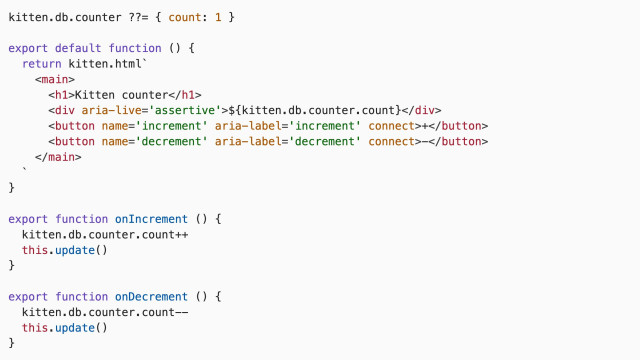
TL; DR: This is all the code you need in Kitten¹ to make a *persisted* counter that streams interface updates to the browser. (Put it into a file called index.page.js in a folder all by itself and run `kitten`.)
Add the following two lines inside the `<main>` tag, if you also want it to look good:
```html
<page css>
<style inline>@scope { div { font-size: 3em; } }</style>
```
#Kitten #SmallWeb #SmallTech #web #dev #HTML #CSS #JavaScript

So I’m updating the Kitten documentation, tutorials, videos, etc., in preparation for the major (breaking change) release I’ve been working on for the past few months and, as part of that, I had to set up my streaming/recording setup again as the layout of my room changed and I recorded an updated Kitten Counter video yesterday in which I made every mistake I could in 12 minutes (so I’ll be recording it again). But here it is a a preview (and also to show that no, none of us gets it right the first time. Any polished video you see is the result of meticulous planning and multiple iterations) :)
(This video doesn’t show the new stateful components. I will be recording new videos about that.)
#Kitten #SmallWeb #SmallTech #web #dev #HTML #CSS #JavaScript
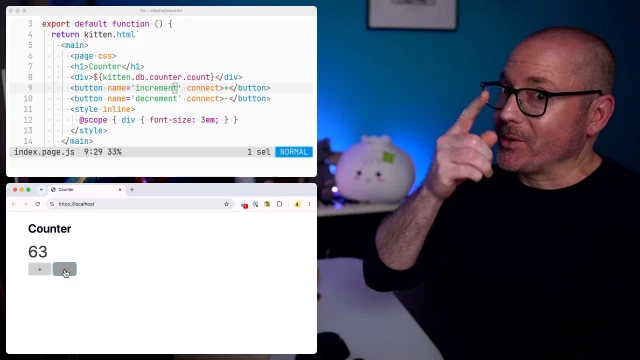
A demonstration of how to build a simple counter using the latest Kitten
In this example, we build a simple counter with an increment and decrement button and wire it up to Kitten’s built-in JavaScript Database (JSDB).Vimeo
